The “Enroll your authenticator” email is an automatic email message with a link to enroll your authenticator, such as your mobile phone with Rublon Authenticator or a third-party app.
When Is the “Enroll your authenticator” Email Sent?
Rublon MFA sends the “Enroll your authenticator” email together with the Email Link email message in the following two scenarios:
Scenario 1:
User logs in to an integration that does not support the Rublon Prompt
User has not completed enrollment of an authenticator required for the configured authentication method
The Default Authentication Method policy is set to Mobile Push (or any other authentication method that requires an enrolled app or phone number)
Scenario 2:
User logs in to an integration that does not support the Rublon Prompt
User has not completed enrollment of an authenticator required for the configured authentication method
The Default Authentication Method policy is not set to any method
The only selected method in the Authentication Methods section is Mobile Push (or any other authentication method that requires an enrolled app or phone number)
Note: The “Enroll your authenticator” email is not sent if a sequence of more than one method is set in the Rublon Authentication Proxy configuration file (or Rublon MFA for RD Gateway’s Windows Registry settings). For example, if “push,email” is set as the sequence of methods and neither of these methods is set as default in a Rublon MFA Policy, Rublon MFA will detect that sending a Mobile Push notification is impossible and will challenge the user with the Email Link method instead. This is a fallback mechanism that does not trigger the “Enroll your authenticator” email.
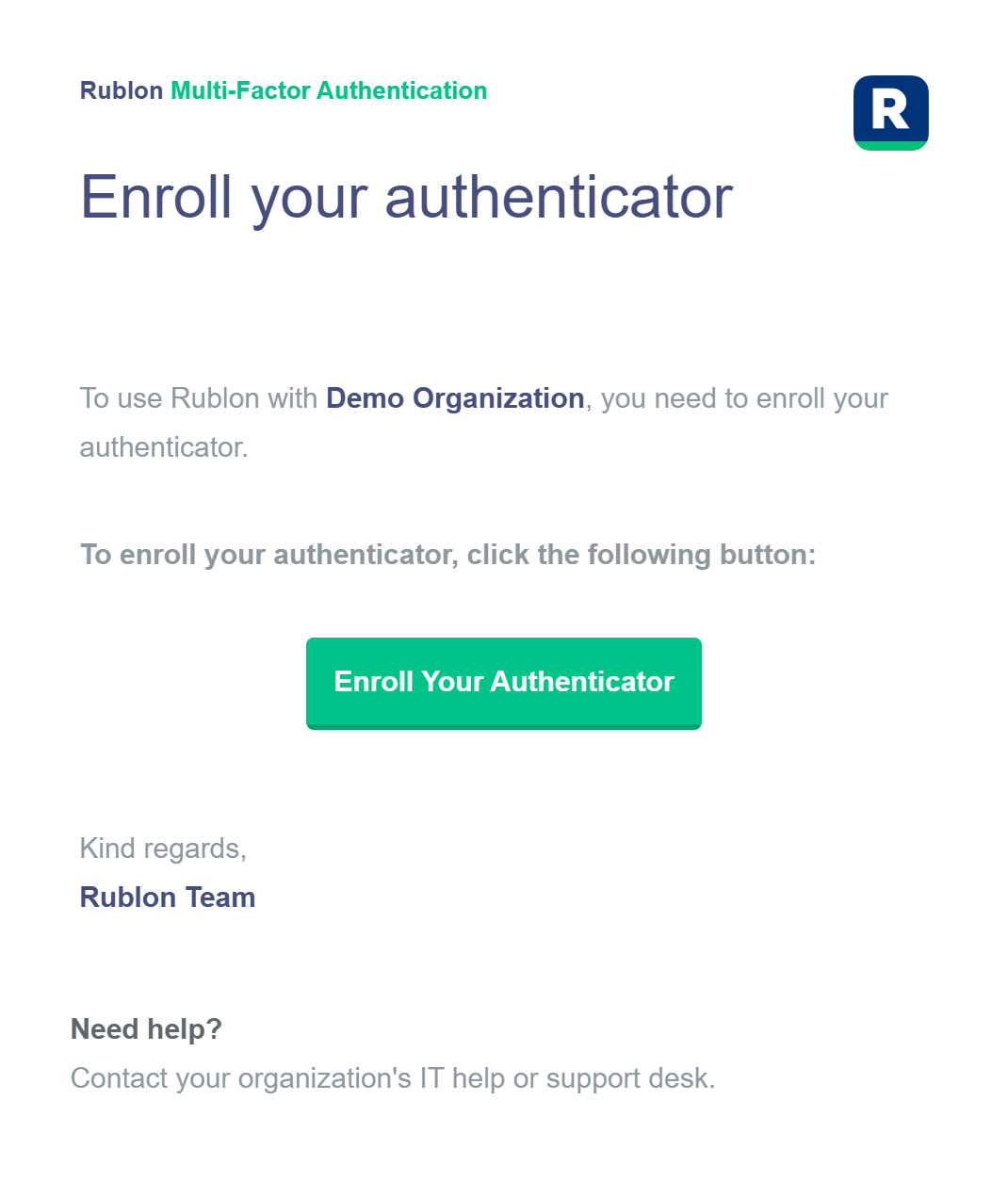
Why Is the “Enroll your authenticator” Email Sent?
The “Enroll your authenticator” email may be helpful if an administrator has enabled the Default Authentication Method policy for an integrated application and that particular integration does not support the Rublon Prompt. In that case, the user has no way to access the Manage Authenticators view to enroll the authenticator required for their authentication method.
If “Enroll your authenticator” is turned on, the user can enroll the required authenticator by clicking the link inside the email message. Otherwise, the user cannot enroll the required authenticator without the administrator’s help.
Why Do I Keep Receiving Enrollment Emails After Enrolling an Authenticator?
In the scenarios described above, you may receive an enrollment email even if you have already enrolled an authenticator. This can happen when the Default Authentication Method policy requires a different authenticator or when the required enrollment has not been completed.
For example, if the Default Authentication Method policy is set to Phone Call, Rublon MFA looks for an enrolled phone number that can be used for this method. Activating the Rublon Authenticator app does not, by itself, complete phone number enrollment. If no suitable phone number is available, Rublon MFA may continue sending enrollment emails.
The same distinction applies to SMS Link and SMS Passcode in integrations that support these methods: they require an enrolled mobile phone number, not just an activated authenticator app.
To resolve this:
Check the Default Authentication Method in the policy that applies to the application. Set it to a method supported by the integration that matches the authenticator users have enrolled. For example, use Mobile Push if users have activated Rublon Authenticator and intend to approve push notifications.
If users are intended to use Phone Call, SMS Link, or SMS Passcode, make sure they complete phone number enrollment. Your organization must have sufficient Phone Credits for the verification SMS or call required during self-enrollment and for subsequent authentication.
Successfully signing in with another method does not complete enrollment for the configured default method.
How to Turn Off “Enroll your authenticator” Emails?
While it is a good idea to use the Rublon Authenticator for stronger security, you may prefer to only allow your users to use the Email Link authentication method.
If you do not want your users to have the option to enroll their mobile devices if they want, you can ask us to turn off “Enroll your authenticator” emails altogether by making an inquiry to Rublon Support.
Helpful Links
Rublon Admin Console - Documentation
Rublon Support - Contact Us To Turn Off Enroll your authenticator Emails
Was this article helpful?
That’s Great!
Thank you for your feedback
Sorry! We couldn't be helpful
Thank you for your feedback
Feedback sent
We appreciate your effort and will try to fix the article